Wait for me
The music holds on every note until you play it, like a fermata.
Play the key that glows. Or use the keys A, D, G and K on your keyboard.
For your piano · Android and Windows
Connect your digital piano with a cable, or let sol listen through the microphone. It teaches you each piece with falling notes and sheet music, waits for you to play every note and tells you what you got right.
Coming soon to Google Play
The beta is open
Or write to
Or write to
On the music standPrelude in C Major (BWV 846)J. S. Bach
Three steps and you're already playing.
Plug your digital piano into your phone or PC with a USB cable and sol finds it. An acoustic piano? Use the microphone.
A piece from the repertoire that comes with sol, or your own music: MIDI, MusicXML, a recording or a video.
sol listens, waits for you on every note and tells you what you got right.
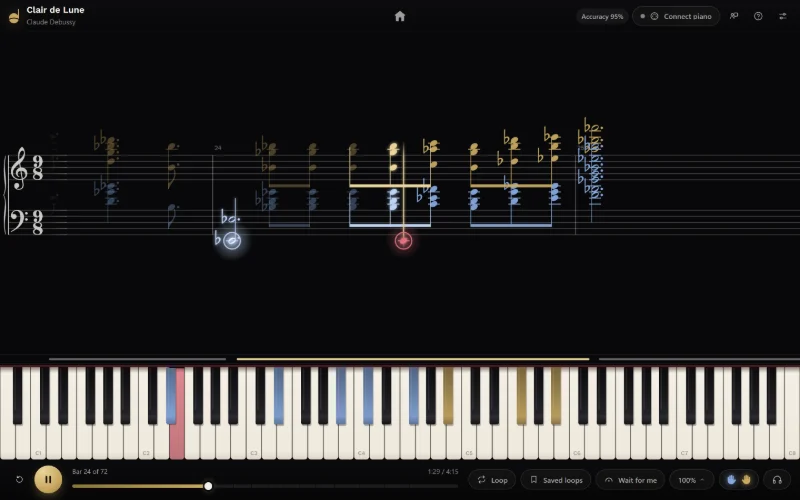
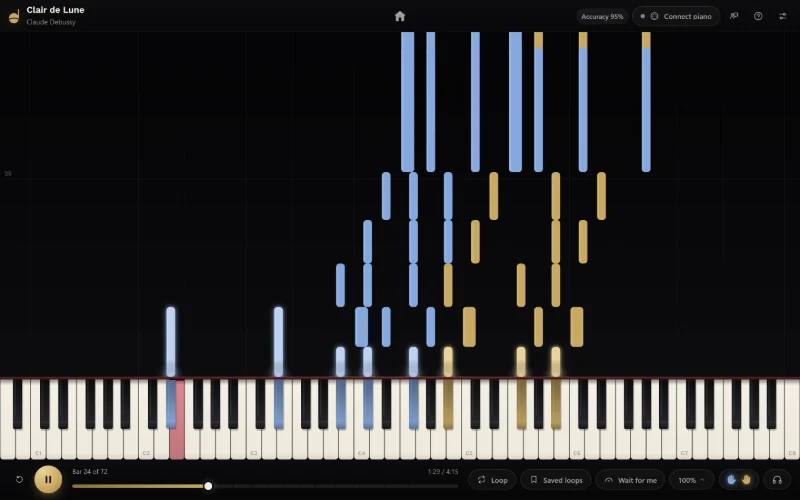
Above, the score with its playhead. Below, the notes fall onto the keyboard, each hand in its own color. They move together, so you can follow the score while you play.
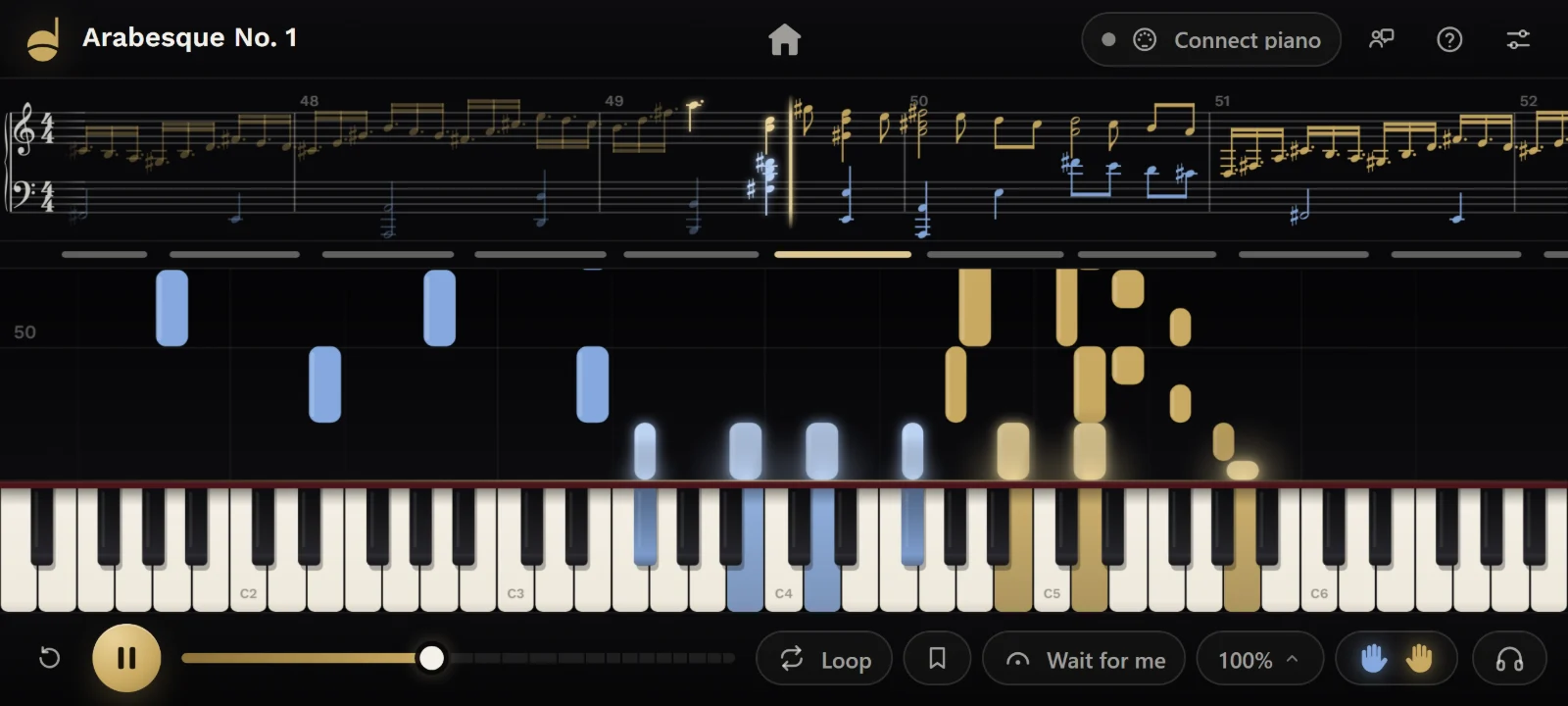
In Settings you choose what to see: the score to practice reading music, the falling notes to play without reading a note, or both at once. And as you read, the note you play lights up on the staff: it glows when it is right and shows up in red when it is not.
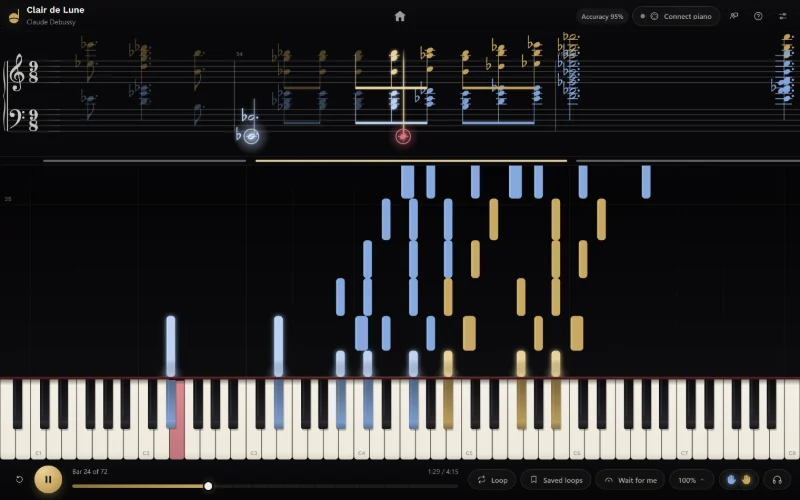
Choose a piece and press play. Then turn on Wait for me and play it yourself: on the keys on screen, the computer keyboard or your digital piano.
Choose a piece
With the computer keyboardThe letters move to where each piece is played. Z and X change the octave. Space plays and pauses.
Have a digital piano? Plug it into this device with a USB cable and press “Connect piano”.
This is an excerpt of up to a minute. In the app you play with your piano, by cable or with the microphone, with the whole piece, the score, loops and everything else.
Want the whole piece? It is in the app, and we are looking for people to try it.
I want to try itOr write to
Slowly, in small parts, one hand and then the other, until it flows. sol has a tool for every step.
The music holds on every note until you play it, like a fermata.
Play the key that glows. Or use the keys A, D, G and K on your keyboard.
Drag the gold handles over the hard bars and repeat them. sol saves your loops and tells you your accuracy on every pass.
Bars 3 to 5×1Drag the handles
Slower to learn it, up to tempo once you have it.
Practice one hand and sol plays the other.
What sol plays gets an automatic pedal: it changes every bar, or at the half bar when the bass moves. The pedal you press on your piano shows live under the score.
Keeps the beat while you play.
When you're right, the key and its note on the score light up in that hand's color; when you're not, in red. You see your accuracy live and on every loop pass.
The app also plays the hands you practice, so you know how it should sound.
This is how it looks in the app
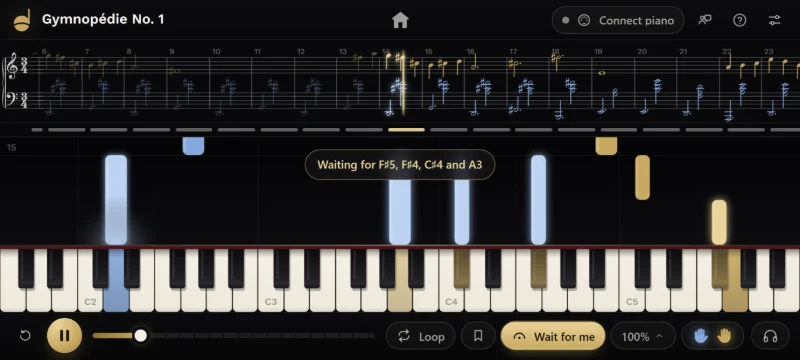
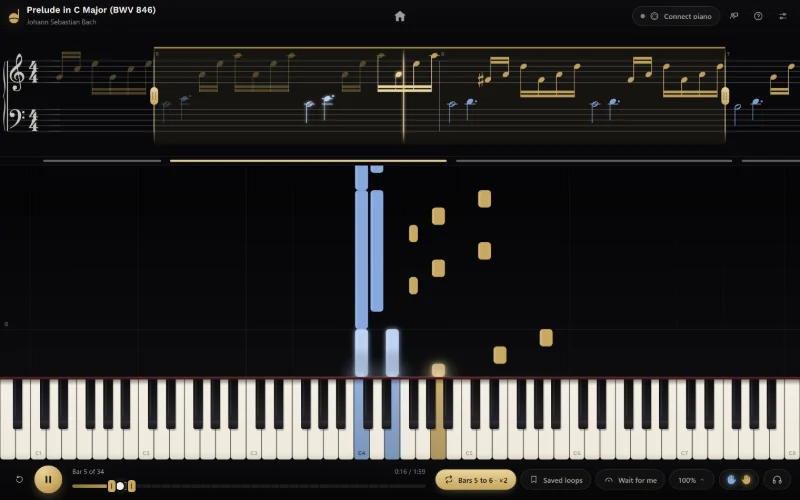
MIDI, MusicXML, audio, video, what plays nearby or what you play yourself: sol turns it into falling notes and sheet music.
Audio, video and what the microphone hears are analyzed on your device: no sound is uploaded or kept. Use recordings and videos that are yours or that you have permission to use; sol only keeps the notes, so you can practice.
Public-domain works, from Bach to Debussy, checked one by one.
And thousands more to come.
Composers in the repertoire: Johann Sebastian Bach, Frédéric Chopin, Ludwig van Beethoven, Claude Debussy, Robert Schumann, Wolfgang Amadeus Mozart, Scott Joplin, Franz Liszt, Carl Czerny, Domenico Scarlatti, Franz Schubert, Pyotr Ilyich Tchaikovsky, Alexander Scriabin, Edvard Grieg, Johann Friedrich Burgmüller, Antonio Vivaldi, Erik Satie, Felix Mendelssohn, George Frideric Handel, Carl Philipp Emanuel Bach, Jean-Philippe Rameau, Johannes Brahms, Joseph Haydn, Richard Wagner, Stephen Foster, Enrique Granados, Georges Bizet, Gioachino Rossini, Henry Lemoine, Johann Pachelbel, Modest Mussorgsky, Camille Saint-Saëns, Carl Maria von Weber, Charles Crozat Converse, Christian Petzold, Christoph Willibald Gluck, Claude Joseph Rouget de Lisle, Francisco Tárrega, Franz Gruber, Friedrich Kuhlau, Johann Strauss I, Johann Strauss II, John Bacchus Dykes, Louis-Claude Daquin, Lowell Mason, Michael Praetorius, Mikhail Glinka, Muzio Clementi, Mykola Leontovych, Nikolai Rimsky-Korsakov, Thomas Arne, William Henry Monk, William J. Kirkpatrick.
For every level
63 pieces to start with
159 to keep growing
250 to go further
When a file does not say which hand plays each note, sol looks for the split with the least effort: the reach of each hand, five fingers, no crossing.
Notes split correctly across sol's repertoire. On the pieces not used to tune the method, 94.0%.
What you hear is the Salamander Grand Piano: real recordings of a Yamaha C5, with hall reverb and stereo by pitch.
Search for your question, tap “Show me on screen” and sol lights up the button you are looking for. The first time, it offers a 20-step guided tour.
sol is also your piano music player. Make your playlists and let it play: every piece is performed with the melody brought out, its dynamics and a natural ritardando at the end.
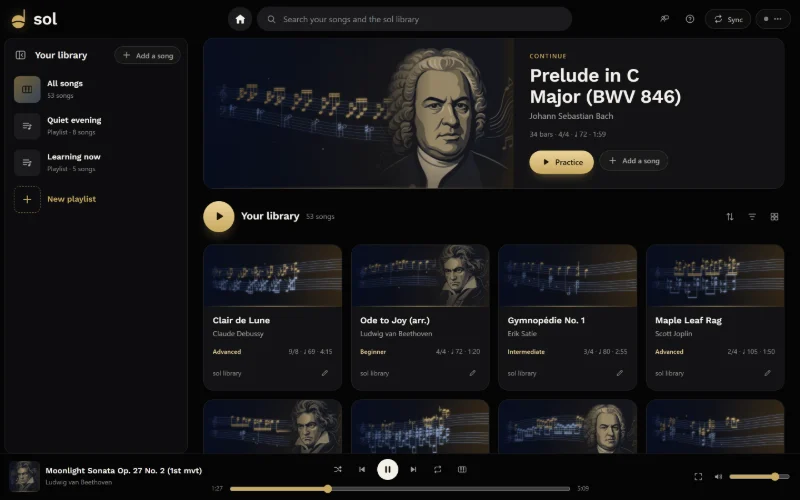
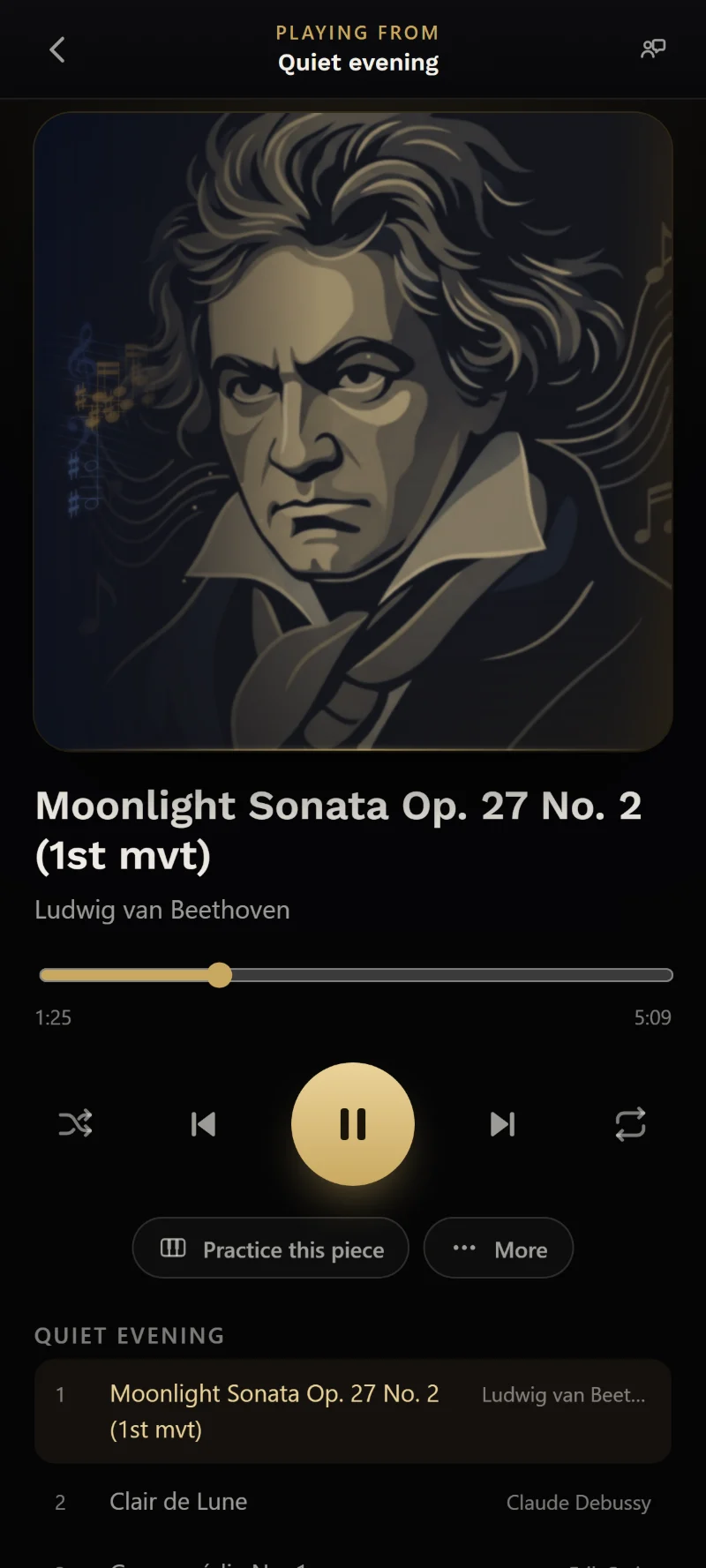
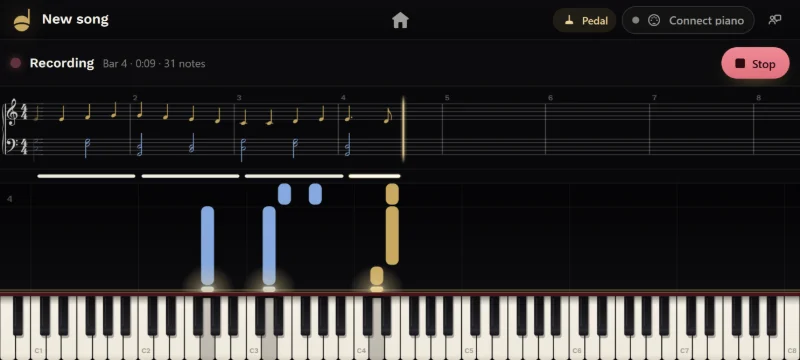
Record what you play and sol writes it down as notes, not sound. Then polish it and export it as MIDI to share it.
All of this comes with the first version on Google Play.
An acoustic piano, or a keyboard with no cable? sol listens through your phone’s microphone and marks the notes you get right. It works best with melodies and single notes, less so with big chords; a cable is still more precise.
Minutes of practice, days in a row and a score of up to three stars for each piece.
Turn what you played into a video: with falling notes, with notes and score, or with the score only.
Organ works, such as Bach’s Toccata and Fugue in D minor, play with a church organ.
“Movie classics” and “Christmas”: pieces gathered so you find them at a glance.
Spanish, English, Swedish, German, French and Japanese, with each language’s note names.
What you play stays with you.
Digital, with a USB MIDI connection. Or acoustic, with the microphone.
From the piano (usually USB-B) to the phone (USB-C), or an OTG adapter. Not needed with the microphone.
On a phone or a tablet.
The same app, on your PC.
Coming soonCheck it now in your browser: plug in the cable, play a key and watch it light up. Nothing is sent.
You can play on the keys on screen, and sol can play your part whenever you want to hear it. And you can always use sol to listen.
Buy sol once and it is yours forever. Would you rather try it first? Subscribe by the month or by the year. If you then buy it while on the yearly plan, part of what you paid is taken off.
Coming soon You cannot buy it yet: the plans arrive with the app on Google Play.
€99.99
€79.99 during the launch
One payment. Everything sol does on your device, including the features still to come.
€49.99 a year
To try it for a while. If you later buy “Forever”, part of what you paid is taken off.
€9.99 a month
To try it with no commitment. Cancel whenever you like, from the app itself.
3 pieces from the repertoire with every practice tool, and one song of your own imported.
Prices in Spain, VAT included; in each country, Google Play shows its own. You pay on Google Play, and the same purchase works on your Windows PC with the same account. Anything with a recurring cost, such as a teacher service, will be separate.
In the meantime, try it right here in the demo.
3 free pieces, no card
Coming soon to Windows PCs too
Coming soon for iPhone and iPad too, on the App Store
A digital piano or keyboard with a USB connection, known as USB-MIDI. Most digital pianos have one: it is usually a square port (USB-B), often labeled USB TO HOST. Through that cable, sol knows which key you play and how hard. Will yours work? Check it now.
One that goes from your piano's USB port to your phone's. The simplest is a USB-B to USB-C cable. Your piano's own USB cable with a USB-C OTG adapter works too. It has to be a data cable: charging-only cables do not work. The step-by-step guide is in How to connect your piano.
Yes, with the microphone: sol listens through your phone’s microphone and marks the notes you get right. It works best with melodies and single notes, less so with big chords. With a digital piano and a USB cable it is more precise, because through the cable it knows exactly which key you play, when and how hard.
You can still use sol. Play with the keys on screen, and let sol play your part whenever you want to hear it. And in Listen mode, sol is a piano music player, with the sound of a real grand piano.
Not yet, but it is coming: we are preparing sol for iPhone and iPad, on the App Store. Meanwhile, sol is for phones and tablets with Android 7 or newer, and soon for Windows PCs.
You can start free, with no card and no time limit: 3 pieces from the repertoire and one song of your own. For everything else there are three plans: Forever, a single payment of €99.99 (€79.99 during the launch); Yearly, €49.99 a year; and Monthly, €9.99 a month. These are prices in Spain with VAT; in each country, Google Play shows its own.
Buy sol once and it is yours forever.
Coming soon to Google Play
The beta is open
Or write to
Or write to